Selasa, 08 Maret 2016

Tracking Customer Google Analytics

blog-customer-lifetime-value-ga-tinypng
In marketing, customer lifetime value (CLV), also referred to as lifetime value (LTV), is a prediction of the value a customer will have over there lifetime with your company or brand. This is often estimate, or averaged, sometimes with complex formulas.
This topic has been thoroughly covered by some excellent posts, and several books,  so I don’t intend to regurgitate what’s already been written. My goal is to introduce another method of tracking CLV with Google Analytics.
Instead of estimating CLV with simple (or complex) formulas, I’ll have you recording the actual lifetime value of each and every customer by the end of this post.

Two Methods: Custom Dimensions and Custom Metrics

You might think that a value like CLV should be tracked as a custom metric, because it’s a number. And you’re right, partially. But there are some limitations and pitfalls to be aware of when using this method.
Custom dimensions can also be used to track CLV, and should be used in conjunction with custom metrics. Each option has benefits and drawbacks.

Custom Dimensions

Pros:
  • Can be used with Data Import
  • Can reflect the CLV of a user at any time (not dependent on the data range of the report)
  • Easy to get a distribution of users by CLV
Cons:
  • Can’t easily segment by users with greater than or less than a certain CLV
  • Can’t report the average CLV per channel, region, etc.
Ed Brocklebank of Metric Mogul has written an incredibly detailed and complete post on tracking CLV with custom dimensions. I highly recommend reading through it and setting those up.
However, there is still some benefits to be had by tracking CLV with custom metrics. That’s what I intend to show you.

Custom Metrics

Pros:
  • Can be used to show average CLV of users
  • Can be used to show average CLV by segment (channel, region, etc.)
  • Can be used to segment users with greater than or less than a certain CLV
Cons:
  • Can only report CLV for date range selected. If you have a long date range and a lot of traffic, your data is likely to be sampled

Create the Custom Metric

First things first – you’ll need to create the custom metric in the Admin of Google Analytics before you can start sending values to it. Under the Property column, click through to Custom Definitions > Custom Metrics and create a new custom metric for your CLV like below:
CLV custom metric
Write down the index of the custom metric, you’ll need that in the next step. The index is a number from 1 to 20, which tells Google Analytics where to store the value. If this is your first custom metric, it will be at index 1.

One single line of code

Whether you have Google Analytics hard-coded on your site or implemented through Google Tag Manager, the code required to track CLV with custom metrics is actually quite simple.
On the receipt page where you include your ecommerce tracking code, you need to include an extra line that sets the order value as a custom metric. With hard-coded Google Analytics, you’ll typically be sending the transaction and items details along with the pageview hit (with enhanced ecommerce), so you just need to update your pageview to include the custom metric.
clv code
If you’re using Google Tag Manager, you’ll just need to capture the order value with a variable. You may already be doing this, and you likely have the transaction details in the dataLayer. If that’s the case, you can create a dataLayer variable to pull out the order value like below:
order value
Then you can use that variable in whichever tag sends along the transaction (either a pageview tag or an event tag) by adding it to the Custom Metrics section under More settings, like below:
GTM CLV
Now that you’re getting the order value as a custom metric, you’ll want that to be associated with a specific user. For that, you’ll need to track a unique ID for each user as a user-scoped custom dimension. My colleague Amanda Schroeder covered the basics of setting up custom dimensions in her post about using custom dimensions to define audiences as well as getting even more advanced by setting up a User ID View.
For the unique ID, you may be able to use a value from your database or CRM for the user.
Once you have those two pieces in place, you can create a custom report like this one:
CLV Report
Remember, the Customer Lifetime Value metric here only includes revenue that occurred during the date range selected. So if a user purchased prior to that period (or after) it won’t be included. I’ve also filtered the custom report shown above to include only rows where Customer Lifetime Value is greater than 0.

My 15 Favorite Free SEO Tools

My 15 Favorite Free SEO Tools

blog-free-seo-tools
I never get tired of saying it – I love me a good free tool.
This article is dedicated to the best – those free SEO tools that I use frequently and give me that warm, fuzzy feeling. It’s nice to have a huge arsenal, but it can be more powerful to wield a few powerful weapons expertly, so I’ve included some links and tips on how to make these tools work harder for you.
At the end of this article, you’ll find the 2014 version of this list with notes on changes. There’s also a bonus list of links to more free SEO tools.
Without further ado, here are my current fifteen favorite freebies.

15. GTmetrix

Having a tool to examine page speed and diagnose opportunities for improvement  is now an essential part of the SEO toolkit. Anything that impacts user-experience impacts SEO, and site speed is a big deal for UX, especially for mobile. Many page-speed tools exist; I’ve found GTmetrix reliable and a good balance between thorough and user-friendly. Other page speed tools that are good include  Pingdom, WebPagetest (great visual waterfall), and Google PageSpeed Insights. That last one is especially good. 
GTMetrix

14. Web Developer Toolbar

web developer toolbar
The Web Developer Toolbar has become much relied-upon during the technical phase of our SEO audits. To learn how to use it for SEO, read Glenn Gabe’s SEO Audits & the Web Developer Plugin: 12 Helpful Features for the Technical SEO.

13. SEO Quake Toolbar

SEO Quake
SEO Quake shows data on traffic, links, social shares, on-page keyword optimization and more. The SEO Quake website has lots of helpful tips on what to do with all this data.

12.Hootsuite

In 2015, social media is typically vital to SEO success. Hootsuite is one of many platforms for managing social media. I’m not saying Hootsuite is the best social platform, but it is what I’m most familiar with and is plenty helpful for promoting new content and staying on top of opportunities to engage with key influencers.
hootsuite

11. Wayback Machine

The Wayback Machine is the Internet’s most complete historical archive and lets you see what a website used to look like back in the day. I can’t tell you how many times I’ve used this free tool for detective work  to crack client cases of missing traffic. For that reason, the Wayback Machine holds a special place in my heart. If the numbers for a site have changed and something about that site has changed but you don’t have a site back-up available to figure out what – the Wayback Machine has your back.
wayback
Plus, it’s just fun to see how much better your site looks since the Geocities days.

10. Chrome Developer Tools

“F12” is now the SEO button, because it is the shortcut to major awesomeness built right into Chrome. Some SEO tasks you can do with Chrome DevTools include: examining mobile UX and SEO with the amazing mobile emulator, diagnosing page speed, picking apart source code, examining HTTP status codes, and mocking-up live edits to a webpage (including the title tags and Meta descriptions in the SERPs). Resources below.

9. Google Trends

Google Trends
Marketers who know where the puck is heading tend to win more. Google Trends shows changes in search query volume for specific queries (and topics and entities).
For marketers, especially in volatile industries like technology and fashion, it’s critical to at least keep up with the market. And, if you can master online trends analysis and get a step ahead of the competition, the results can be quite profitable indeed. For search marketers, it’s plain good sense to analyze changes in search query behavior. Even everyday writers can improve their results by understanding which topics are trending. 
Bottom line: while often overlooked, Trends is an extremely powerful tool in the right hands. Below are some helpful articles:

8. Keywordtool.io

keyword tool
Enter a query in this freemium tool and it will quickly spit out a ton of great keywords based on the autocomplete feature of Google, Bing, YouTube, or App Store Search.
Keywordtool.io is great for generating a ton of keyword ideas containing your seed term, especially long-tail keywords that won’t show up in the AdWords keyword tool due to having  very low volumes. I usually use Keywordtool.io when I am building a list of potential keywords, especially when I need long-tail keywords.
Keywordtool.ie is new to this year’s list (thanks to a reader who shared the tool with me in a comment on last year’s list). Shout out to Ubersuggest, the original tool of this kind.

7. Bing Webmaster Tools

BWT
Bing Webmaster Tools (aka BWT) remains extremely overlooked. It’s great for keeping an eye on how Bing (which powers Yahoo) is treating your site and also enables you to have some control in the matter. It also shows you clicks to your site from Bing by search query, and it has a feature for looking up Bing search query volume. It also offers benefits beyond Bing by providing insights into crawling, indexation, on-page keyword optimization, and other elements that can impact your performance in Google.
A while back, I wrote an article on some ways to use BWT. BWT also has a great help section.

6. Google (and Bing)

This is one is so obvious that I forgot to include it last year: the Google and Bing search engines themselves are very useful SEO tools. Mastery of search engine functionality is part of mastering SEO. With some Google-fu (and Bing-fu), you can examine indexation and duplicate content, find content scrapers, check keyword rankings, analyze SERP listings, and scout for outreach and link prospects.
Below are useful official help guides, followed by SEO-specific searching tips. Read those and you’ll be on your way to your black belt.

5. Screaming Frog


Screaming Frog is a website crawler designed specifically for SEO. Within mere minutes, you’ll get critical data on every URL. Best to just download it and take it for a spin. Once you see all that data, you’ll have questions, but there’s resources to help you:

4. Google Keyword Planner

Keyword Planner
Google’s Keyword Planner, the tool formerly known as Adwords Keyword Tool, lets you pull monthly Google search query volume estimates for dozens of keywords in seconds. I can never understate the importance of knowing what people search for.

3. Moz

moz
SERP_Overlay Moz is a suite of user-friendly inbound marketing tools. Below are my favorite free Moz tools:
  • Open Site Explorer is a backlink analysis tool with helpful metrics approximating link equity.
  • Followerwonk shows data on Twitter.
  • Moz Local (formerly Get Listed) lets you see the state of a company’s local citations and is the first place you should go when you first start local SEO on a site.
  • Mozbar is a browser toolbar that lets you quickly get at Moz’s key features for the page you’re on.
  • The SERP Overlay (seen on the right) is part of the Mozbar and shows OSE metrics on individual search results.

2. Google Search Console

GWT_screenshot
Analogous to BWT (yet much richer), Google Search Console – formerly “Google Webmaster Tools” – provides data and configuration control for your site in Google. That’s a pretty big deal. For more, check out our extensive guide.

1. Google Analytics

ga-logoIf you’re reading this blog, chances are you’ve used Google Analytics. I think we may have written about it once or twice.
The most valuable SEO data is that which helps you understand your visitors  and how they interact with your site.  No tool I’ve used delivers that data like  Google Analytics, and none of the tools I mentioned does a better job providing data that helps you understand the number that matters most – the bottom line.
Thus, GA is the tool I depend on the most.

2014’s List of Favorites

I first published my list of favorite free SEO tools in February of 2014. In just 1 year, SEO tools and priorities changed enough that I now have a very different list of tools that are essential to my job as an SEO. Certainly, we operate in a dynamic industry where it is important to update one’s toolkit.
Below is the original list. I linked to tools that didn’t make the cut this time, and I included notes on major changes.
15. GTmetrix
14. SEO-browser – SEO-Browser does one simple thing: it takes a web-page and shows you what it looks like to a search engine. Understanding what a search engine can see is essential to SEO.  Browseo is just like SEO-Browser, but it includes your images and a bit of additional SEO info. I dropped SEO-Browser from the list after learning that it and Browseo were not completely up-to-date with Google’s crawling capabilities. To really know what Google can see, use Google Search Console’s Fetch as Google feature. That said, I still use both SEO-Browser and Browseo very frequently for getting the “feel” of what the content looks like to the search engines.
13. Wayback Machine
12. Xenu Link Sleuth – Don’t be fooled by the unassuming website. Xenu is the OG web crawler, and is still powerful enough to crawls all the links on your site and report on URL metrics like HTTP status code, content type, page size, and more. And it’s really good at finding broken links. I dropped it from the list because the free version of Screaming Frog recently became more awesome, rendering Xenu far less important.
11. Web Developer Toolbar
10. Majestic SEO is the best tool for backlink analysis, boasting the largest and most up-to-date database of link data available to the public . However, I dropped it from the list because there’s been a major reduction in the capabilities of what the free version can do. That said, the free version is still worth playing with from time to time, especially to look at historical growth in link metrics.
9. SEO Book SEO Toolbar – I stopped using this toolbar, which is similar to the SEO Quake toolbar, because it was only available on FireFox – a browser which I, like the majority of consumers, rarely use any more.
8. SEO Quake Toolbar
7. Google Trends
6. Screaming Frog just keeps getting better, and the free version is far more powerful than ever.
5. Google Keyword Planner
4. Bing Webmaster Tools is still essential for seeing Bing data, though there doesn’t seem to have been any improvements in over a year.
3. Moz
2. Google Webmaster Tools
1. Google Analytics

21 Best FREE SEO Tools for On-Page Optimization

oogle’s official position on webmaster best practices really hasn’t changed much over the years. What has changed is the search engine’s ability to enforce these guidelines through improved algorithms. The implementation of Panda, Penguin, and Hummingbird has had a profound impact on the SEO landscape.
Google’s Matt Cutts has remarked that no one should be surprised when a website that hasn’t followed the guidelines is penalized. What Cutts overlooks or chooses to ignore is something that I have dubbed the “Google Paradox“. I suspect the Google paradox is the root cause for one black hat forum member expressing his desire to “punch Matt Cutts in the face” (per Cutts’ Pubcon 2013 keynote).
In order to reach the top of the SERPs and stay there in 2013 and beyond, your website must deserve to be there. It needs to be the best in class. It must offer the best user experience in that niche. Fortunately, there are a number of free tools that can help you achieve that goal.

Keyword Research

Developing the right list of keywords remains a staple of SEO, even in 2013. Because the keyword selection has such a profound impact on the overall performance of a website, the keyword selection process shouldn’t rely on a single tool.

1. Wordstream

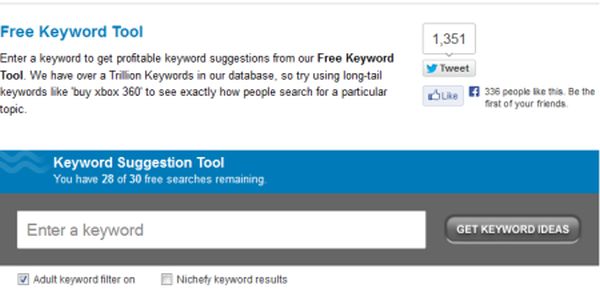
Wordstream
The Wordstream Free Keyword Tool offers thousands of keyword ideas from a huge database of more than a trillion unique searches. This tool outperforms some of the paid alternatives in the market.

2. Keyword Eye Basic

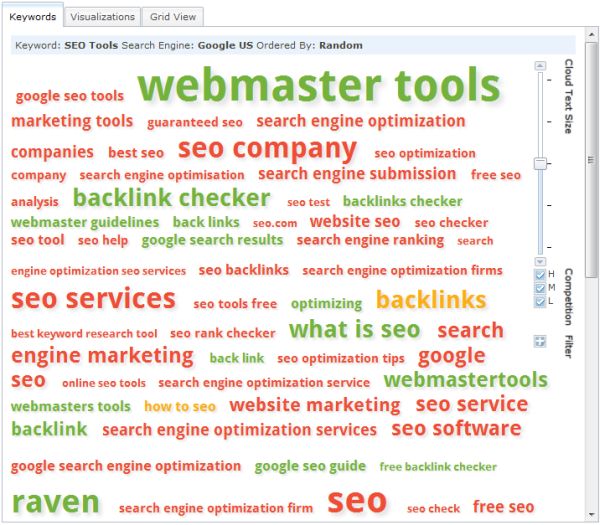
Keyword Eye
Keyword Eye Basic is a visual keyword suggestion tool, that works particularly well for brainstorming sessions.

3. YouTube Keyword Tool

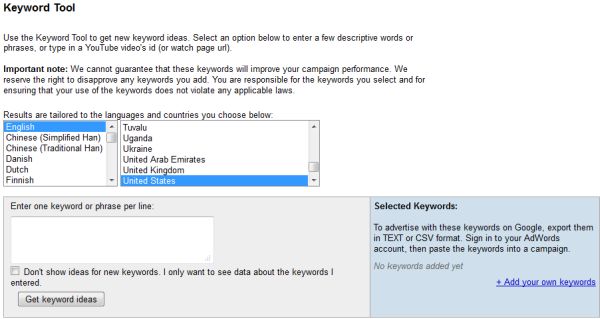
YouTube Keyword Tool
Julie Joyce recently described in detail just how great the YouTube Keyword Tool is for keyword research for all kinds of content, not just video.

4. Übersuggest

Ubersuggest
Übersuggest utilizes the “Suggest” data from Google and others. A terrific tool for developing long-tail phrases.

Content Tools

Everyone knows by now that Panda ushered in a new era for content quality. No longer will cheap, spun, or duplicate content frequently find its way to the top of the SERPs. These tools will help you with your content development

5. Anchor Text Over Optimization Tool

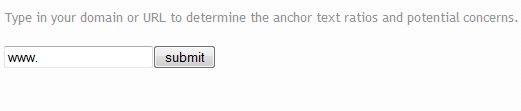
Anchor Text Over-Optimization Tool
The Anchor Text Over Optimization Tool outputs anchor text diversity. Words or phrases that are potentially over-optimized are highlighted for manual review.

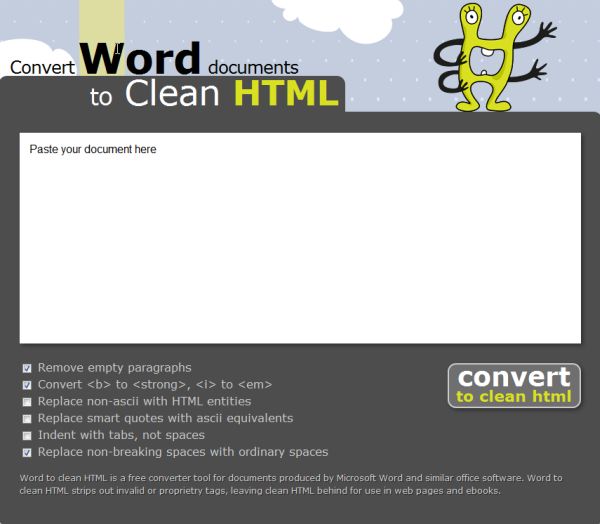
6. Convert Word Documents to Clean HTML

Convert Word Documents to Clean HTML
Convert Word Documents to Clean HTML is a free converter tool for documents created in Microsoft Word, Writer, and other word processing software.

7. Copyscape

Copyscape
Copyscape is a free plagiarism checker. The software lets you enter a URL to detect duplicate content and to verify that your content is original.

Technical Tools

Don’t let the title scare you away. These are technical tools designed to be used by the non-technical among us.

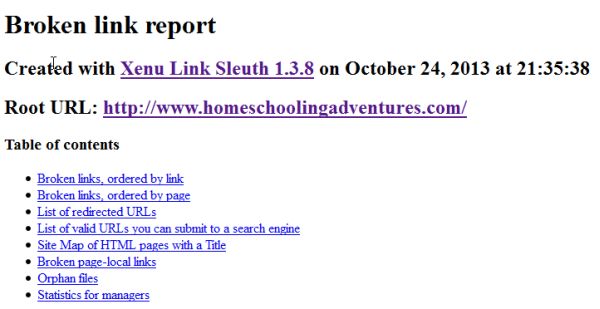
8. Xenu’s Link Sleuth

Xenu Link Sleuth
Xenu’s Link Sleuth is a PC based spidering software that checks websites for broken links. It performs validation of text links, frames, images, local image maps, and backgrounds.

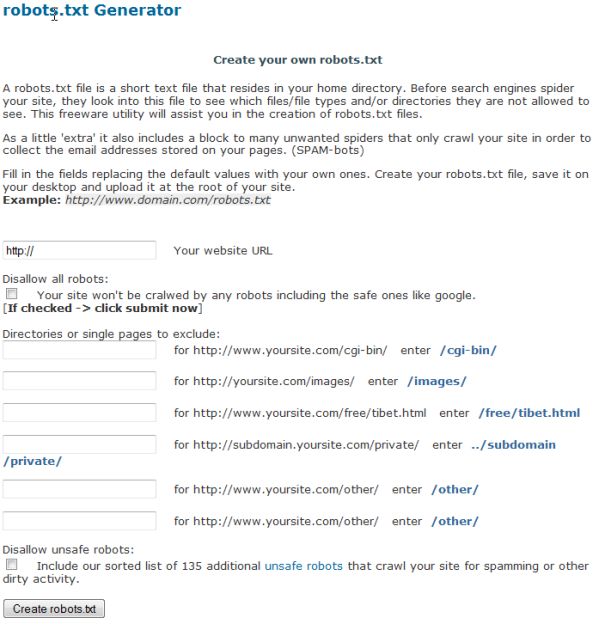
9. Robots.txt Generator

Robots txt Generator
Robots.txt Generator is a freeware utility that makes the creation of robots.txt files a breeze.

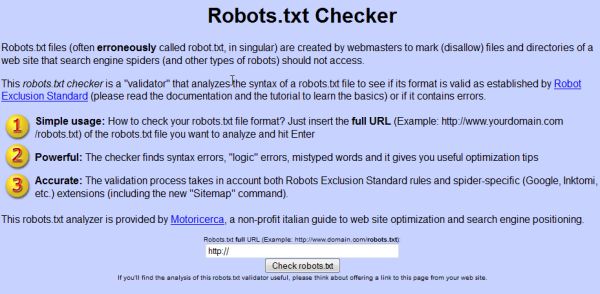
10. Robots.txt Checker

Robots.txt Checker
Robots.txt Checker is a “validator” that will analyze the syntax of a robots.txt file to verify the format is valid.

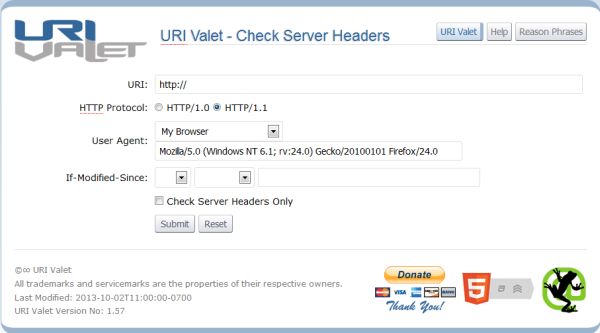
11. URI Valet

URI Valet
Use the URI Valet Header Checker to view total number of objects (http requests), time to download, object details, document internal links, and external links along with verifying server headers for each.

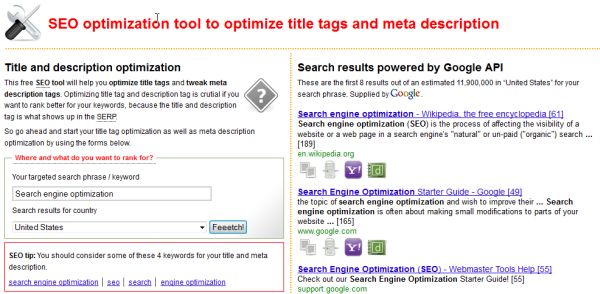
12. Title and Description Optimization Tool

Title and description optimization tool
This title and description optimization tool gives insight as to what the top ranking competitors are using for titles and descriptions. The best competitor intelligence tool of its type.

13. Image SEO Tool

Image SEO Tool
With Image SEO Tool, simply input a URL and this tool checks image name, alt attribute, and dimensions. Alerts are given if a potential problem is discovered.

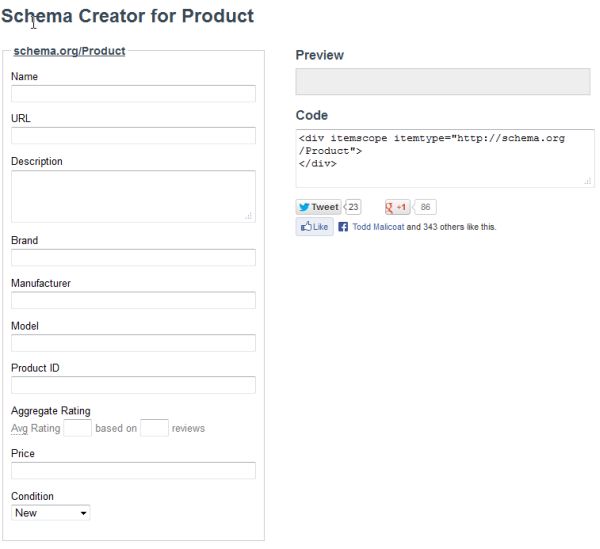
14. Schema Creator

Schema Creator
The Schema Creator tool is the easiest way to get started creating HTML with schema.org microdata.

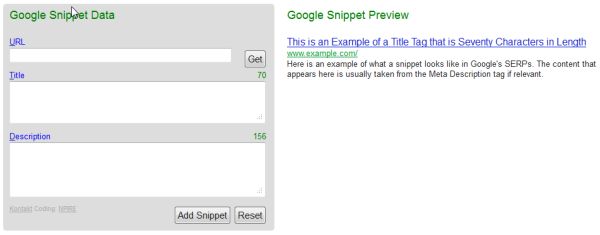
15. Google Snippet Preview

Google Snippet Preview
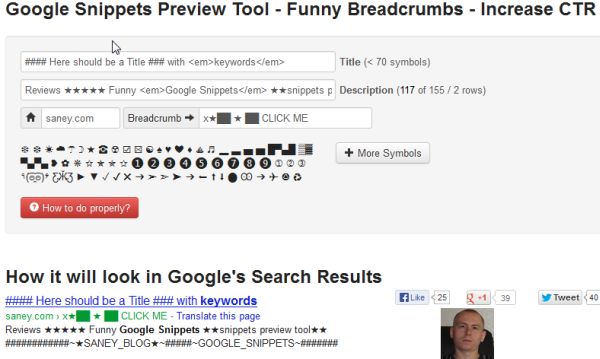
The snippet that appears in Google Search is usually taken from these meta tags. The Google Snippet Preview tool helps visualize and optimize what is displayed to searchers.
Google Snippets Preview Tool

16. Structured Data Testing Tool

Structured Data Testing Tool
The Structured Data Testing Tool verifies Schema.org or any other structured data type markup.

17. XML Sitemap Generators

XML Sitemap Generators create “web-type” XML sitemap and URL-list files (some may also support other formats).

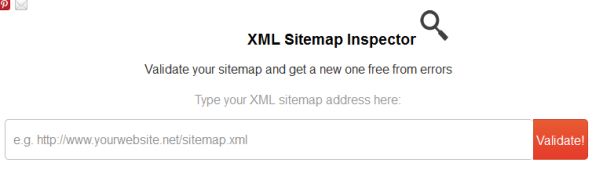
18. XML Sitemap Inspector

XML Sitemap Inspector
XML Sitemap Inspector validates your sitemap (XML or gunzip), repairs errors, and pings all search engines.

19. Pingdom Website Speed Tool

Pingdom Website Speed Test
Pingdom’s Website Speed Tool tests the load time of a page, analyzes it, and finds bottlenecks.

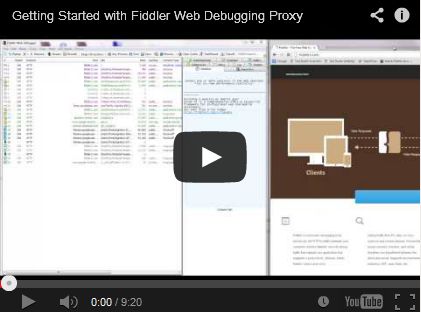
20. Fiddler

Fiddler
Fiddler is a web debugging tool which logs all HTTP(S) traffic between your computer and the Internet.

21. Microsoft Free SEO Toolkit

Free SEO Toolkit
Now that you have run each of these tools over your website, it’s time to run a full blown SEO audit, complete with detailed reports. Fortunately, Microsoft has created a Free SEO Toolkit which does just that.
What are some of your favorite tools for on page optimization?
resep donat empuk ala dunkin donut resep kue cubit coklat enak dan sederhana resep donat kentang empuk lembut dan enak resep es krim goreng coklat kriuk mudah dan sederhana resep es krim coklat lembut resep bolu karamel panggang sarang semut